Rainbow Six Siege
R6 cheat showcase videos for Rainbow Six Siege
Siege rounds are short, the fights are shorter, and most of a match is droning, waiting and holding an angle. CheatCut cuts your raw R6 gameplay down to the moments that sell the cheat, from one prompt.
What an R6 cheat showcase has to show
Siege is a game about information. Attackers drone, defenders sit on cameras, and every soft wall is a sound to read or a hole to open. That's why an R6 showcase lives on its ESP shots: show the read through the wall first and the kill second. A box behind a reinforced wall means nothing until the viewer sees what happens next.
Then the aim. A headshot kills in one bullet in Siege, so aimbot clips are short. Show a few in a row, cut tight, rather than one long fight. CheatCut, the AI video editor for cheat showcases, picks those clips out of whole matches and cuts them on the beat.
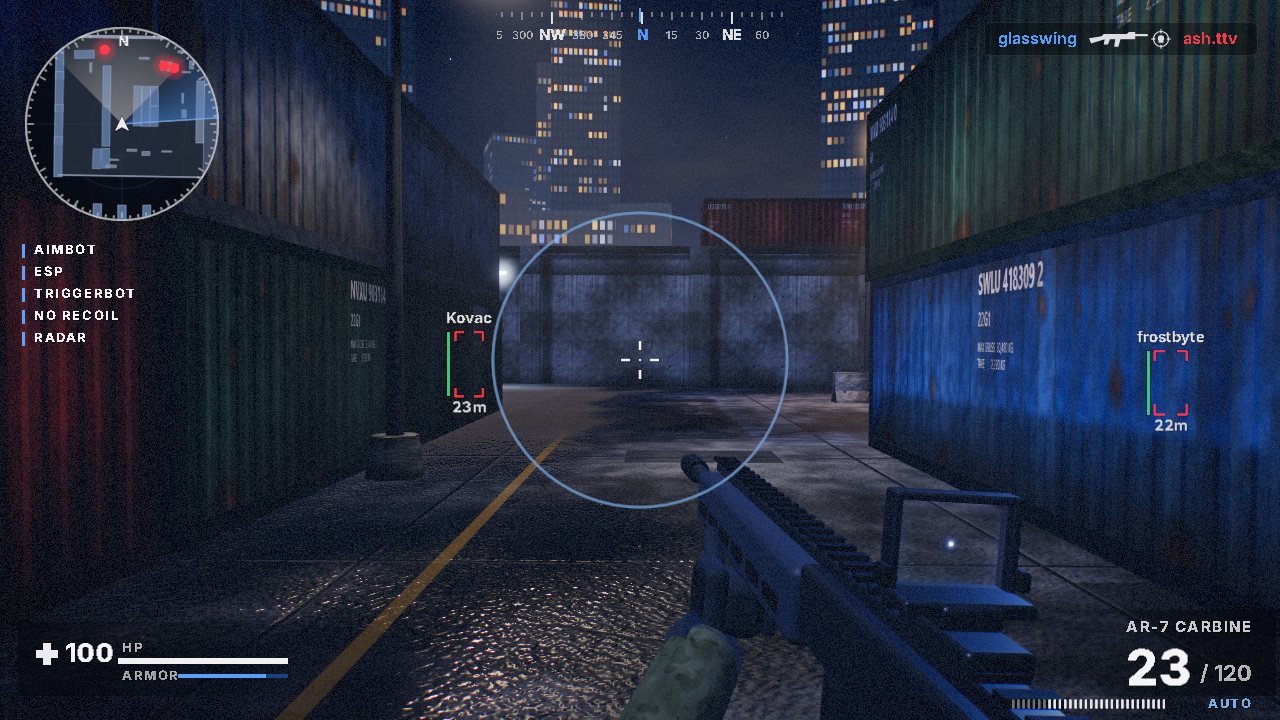
Recording R6 gameplay for a showcase
Record whole matches
Let it run from the first round to the last. More raw footage gives CheatCut more clips to choose from, and you won't miss the clutch you didn't see coming.
Keep the HUD on
Leave the kill feed visible and uncropped. Kill detection works with most shooters that show a kill feed, and Siege shows every kill in one.
Mind the names
The kill feed and scoreboard show player names. Think about whose names you're happy to publish before you upload.
Record the menu after
One slow pass through the menu, in game, with the features you're showing switched on.
The cheat menu showcase guide covers the menu recording in detail.
Cut the prep phase, keep the action phase
Every Siege round opens with a preparation phase. Defenders reinforce and set gadgets, attackers drone. It matters to the round and it's dead air in a showcase, because nothing in it shows the cheat doing anything a buyer pays for. The action phase is where the ESP reads, the wallbangs and the kills happen.
Say so in your prompt. Ask for action-phase clips, the round-winning kills first and a menu reveal before the last clip. If a prep-phase shot slips in, re-prompt with something like "swap the third clip" or move it on the timeline.
40 second 16:9 R6 showcase. Action phase only, ESP through walls before each kill, fastest kills first, menu reveal before the last clip, end card.
15 second 9:16 clip for TikTok. One clutch round, fast cuts on the beat, captions for ESP and aimbot.
To see finished edits before you record, watch the examples on the home page.
Keep R6 claims straight
BattlEye on Rainbow Six Siege is the anti-cheat your buyers worry about, and a showcase can't change that. Don't caption a clip with a status the product can't promise for as long as the video stays up. Show what the cheat does, name the features the way your menu does and let your status page speak for detection.
Selling Siege alongside other games? The guide for cheat resellers covers videos across a whole store, and the ARC Raiders cheat showcase guide shows how different an extraction shooter's footage is.
Questions, answered
- Does CheatCut work with Rainbow Six Siege footage?
- Yes. Menu showcases and promo cuts work with any footage, and kill detection works with most shooters that show a kill feed, which Siege does.
- Should I record the preparation phase?
- Record whole matches if that's easier, then ask for action-phase clips in your prompt. More raw footage gives CheatCut more clips to choose from.
- Which shape suits an R6 showcase?
- 16:9 for YouTube and your product page, 9:16 for TikTok and Shorts, 1:1 for square posts. CheatCut exports all three.
- Will the video show player names?
- If they're in your footage, yes. The kill feed and scoreboard show names, so think about whose names you're happy to publish before you upload.
More showcase guides
Make your next showcase from one prompt
Pick a plan, upload your footage and type the prompt. Or try CheatCut for free first.