Menu showcases
Cheat menu showcase videos from your menu recording and one prompt
Your menu proves the features exist and your gameplay proves they work. Record both, type one prompt, and CheatCut cuts them into one showcase with a menu reveal, captions and sound.
Why buyers want to see the cheat menu
Gameplay on its own leaves questions. Is that aimbot or a good player? Is the ESP configurable, or one fixed look? The menu answers them. It shows the tabs, the features and the config options someone gets when they buy, which is exactly what a buyer checks before paying.
A cheat menu showcase puts that proof next to the gameplay. CheatCut, the AI video editor for cheat showcases, takes your menu recording and your raw gameplay and cuts them into one video with a menu reveal, captions, sound and an end card.
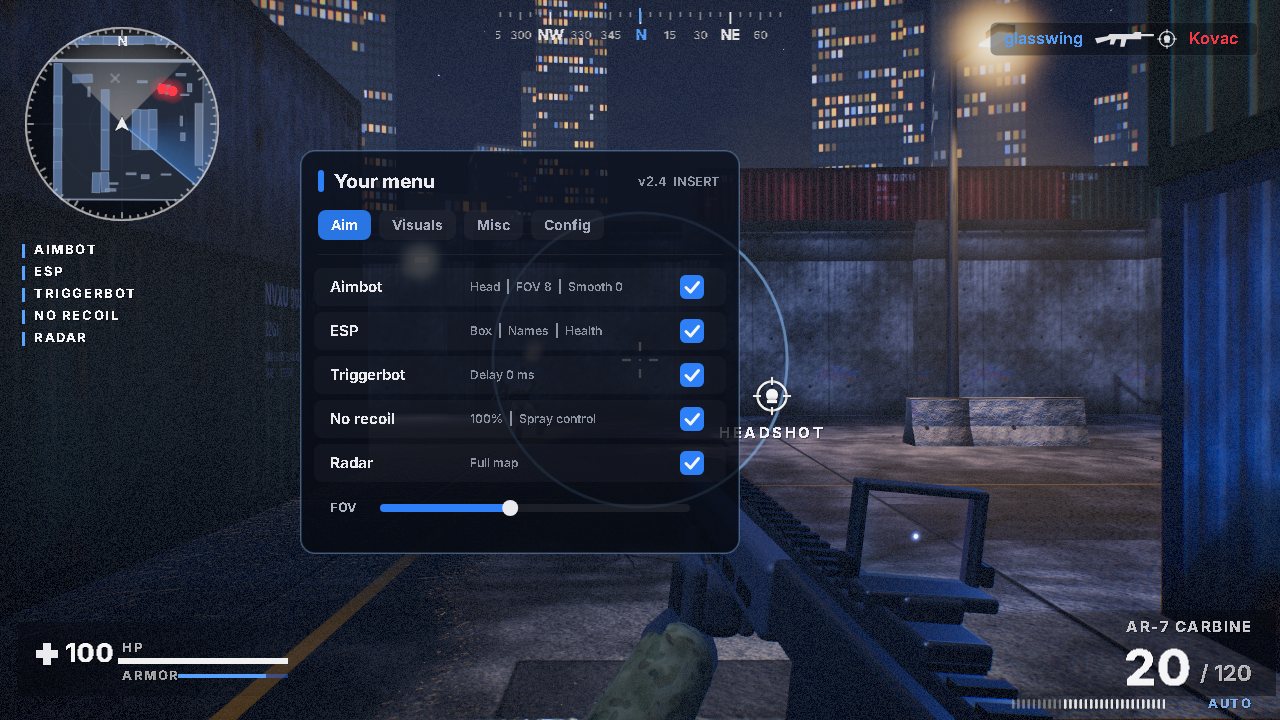
How to record your cheat menu for a showcase
Open it in game
Record the menu over live gameplay rather than on the desktop, so viewers see it in the game it's sold for.
Move slowly
Go through each tab once and pause on the features you want named. A rushed scroll is hard to read on a phone.
Switch features on
Toggle the features you're showing so the change is visible, then let the gameplay show what they do.
Keep it short
One pass through the menu does the job. The gameplay carries the rest of the video.
Hide anything private
Close Discord, browser tabs and anything showing your cheat key, account name or email before you hit record.
Where the menu reveal goes in the edit
Three placements work. Open on the menu when the video is for buyers who already know the game and want to see options. Reveal it after the first kills when you need to hook a cold audience with action first. Or end on it, right before the end card, so the last thing a viewer sees is what they're buying.
Say which one you want in your prompt. If it lands in the wrong place, re-prompt with something like "show the menu after the second kill" or move it on the timeline yourself before you export. To see a reveal in finished edits, watch the examples on the home page.
20 second 9:16 menu showcase. Two fast kills, then the menu reveal with captions for aimbot, ESP and radar, then one more kill and the end card.
45 second 16:9 showcase that opens on the menu, goes through the Aim and Visuals tabs, then shows each feature in gameplay in the same order.
Captions that match your menu
Name features the way your menu names them. If the menu says Silent Aim, the caption should too, not a vaguer word that sounds close. Buyers check the caption against the menu they've just seen, and a mismatch reads as a feature that isn't there.
Put the exact names in your prompt: aimbot, ESP, chams, radar, triggerbot, no recoil, whatever your product really has. Leave out what it doesn't have, because a menu showcase is the one video where a missing toggle gets noticed.
For the whole process from raw footage to export, read how the cheat showcase video editor works. For game-specific advice, see the R6 cheat showcase guide and the ARC Raiders guide.
Questions, answered
- How long should my menu recording be?
- Keep it short. Go through each tab once and pause on the features you want named. The gameplay footage carries the rest of the video.
- Can I make a menu showcase without kill footage?
- Yes. Menu showcases and promo cuts work with any footage. Kill detection needs a shooter that shows a kill feed, but a menu showcase doesn't depend on it.
- Can I change where the menu reveal appears?
- Yes. Re-prompt in plain words, like "show the menu after the second kill", or adjust the timeline yourself before exporting.
- Will viewers see my cheat key or account details?
- Only if they're in your recording. CheatCut edits the footage you upload, so close anything private before you record and check every tab you open.
More showcase guides
Make your next showcase from one prompt
Pick a plan, upload your footage and type the prompt. Or try CheatCut for free first.